
Routines
Schedule work in natural language — daily at set times, every X minutes or on demand. Routines use your connected MCP tools (e-mail, files, APIs) and keep running even when the app is closed, thanks to a persistent background service.
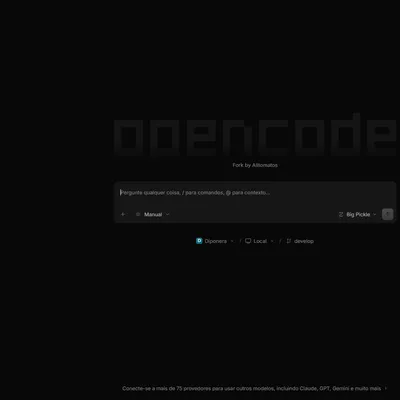
The original OpenCode is a great AI coding agent. This fork turns it into a complete workstation for corporate teams: scheduled routines, custom conversational agents, model failover, persistent memory and remote operation — on top of everything the original project already does.
Routines
Schedule work in natural language — daily at set times, every X minutes or on demand. Routines use your connected MCP tools (e-mail, files, APIs) and keep running even when the app is closed, thanks to a persistent background service.
AgentUI
Build your own conversational agents without code: personality, model, RAG knowledge sources, prompt-injection guardrails and a sandbox chat to test before publishing.
Model Combos
Group models into named combos with automatic failover and rate limits. An AI assistant creates combos from natural language, and quota monitoring shows plan tier and usage in real time.
Cross-session Memory
Global and per-project memory, enabled by default. A dedicated sidebar panel with real-time search, semantic badges and backfill of past sessions.
Batuta Orchestrator
Coordinate external agent CLIs (Claude, Codex and others) from one place. Batuta detects installed CLIs and wires progress reporting back automatically. In active development.
Telegram Bot
Talk to your workstation from anywhere. Background tasks never block the bot, and permissions are approved with one tap, right in the chat.
Remote Servers
Connect to servers over HTTP, SSH tunnels or Tailscale. Run OpenCode 24/7 on a VPS with a persistent task queue, and drive it from the desktop app or the browser.
75+ Providers
Everything upstream supports, plus native OmniRoute, AgentRouter, Google Antigravity and Kiro — with quota protection and automatic account rotation.
Desktop app for daily work, CLI for terminals and automation, server mode for your VPS, Telegram for when you are away from the keyboard.
Desktop app
Native installers for Windows (NSIS), macOS and Linux (.deb, .rpm, AppImage). Projects sidebar, embedded terminal and browser, permission modes, KPI dashboard and automatic updates from our own release channel.
CLI via npm
npm install -g @alltomatos/opencode@latest for stable or @dev for the bleeding
edge — published automatically on every push to the respective branch.
All builds are published on GitHub Releases. The app checks for updates against the fork and installs them automatically.
| Platform | File | Notes |
|---|---|---|
| Windows | opencode-desktop-win-x64.exe | NSIS installer — download and run |
| macOS | opencode-desktop-mac-arm64.dmg / -x64.dmg | Unsigned: right-click → Open on first launch |
| Linux (Debian/Ubuntu) | opencode-desktop-linux-x64.deb | Install with dpkg -i |
| Linux (Fedora/RHEL) | opencode-desktop-linux-x64.rpm | Install with rpm -i |
| Linux (universal) | opencode-desktop-linux-x64.AppImage | Make executable and run |
Download the latest release
Installation guide
Install the app, connect a provider and let your first routine run for you.